Set up your aircraft
Choose your flight school or register an aircraft directly. RightSeat connects your questions to the reference documents relevant to that setup.

Meet RightSeat, an AI aviation knowledge companion built to help pilots prepare with aircraft-specific answers they can check against the actual manuals.
Aviation procedures depend on the exact airplane, its generation, and its approved documents. An AI answer can sound convincing even when it applies to a different aircraft.
RightSeat starts with a simpler idea: before trusting an answer, a pilot should be able to see the source.
RightSeat is designed to make trusted aviation references easier to use without losing the connection to the original documents.
Choose your flight school or register an aircraft directly. RightSeat connects your questions to the reference documents relevant to that setup.
Type or speak an aviation question, from an aircraft procedure to an FAA rule or a topic you're reviewing for a checkride.
Follow page-level citations back to the original document. RightSeat is designed to flag answers it cannot support instead of guessing.
Flying involves a lot of information: FAA handbooks, regulations, aircraft operating manuals, and flight-school procedures. RightSeat brings those references into one place to help you prepare.
Find aircraft-specific information without searching through unrelated models or generations.
Review the cited page to understand the source, rather than relying on an unsupported summary.
When you get stuck on a mock checkride question, use RightSeat to look up the topic and study the relevant source document.
From choosing a question to speaking with RightSeat, practicing airport scenarios, and reviewing your document library.
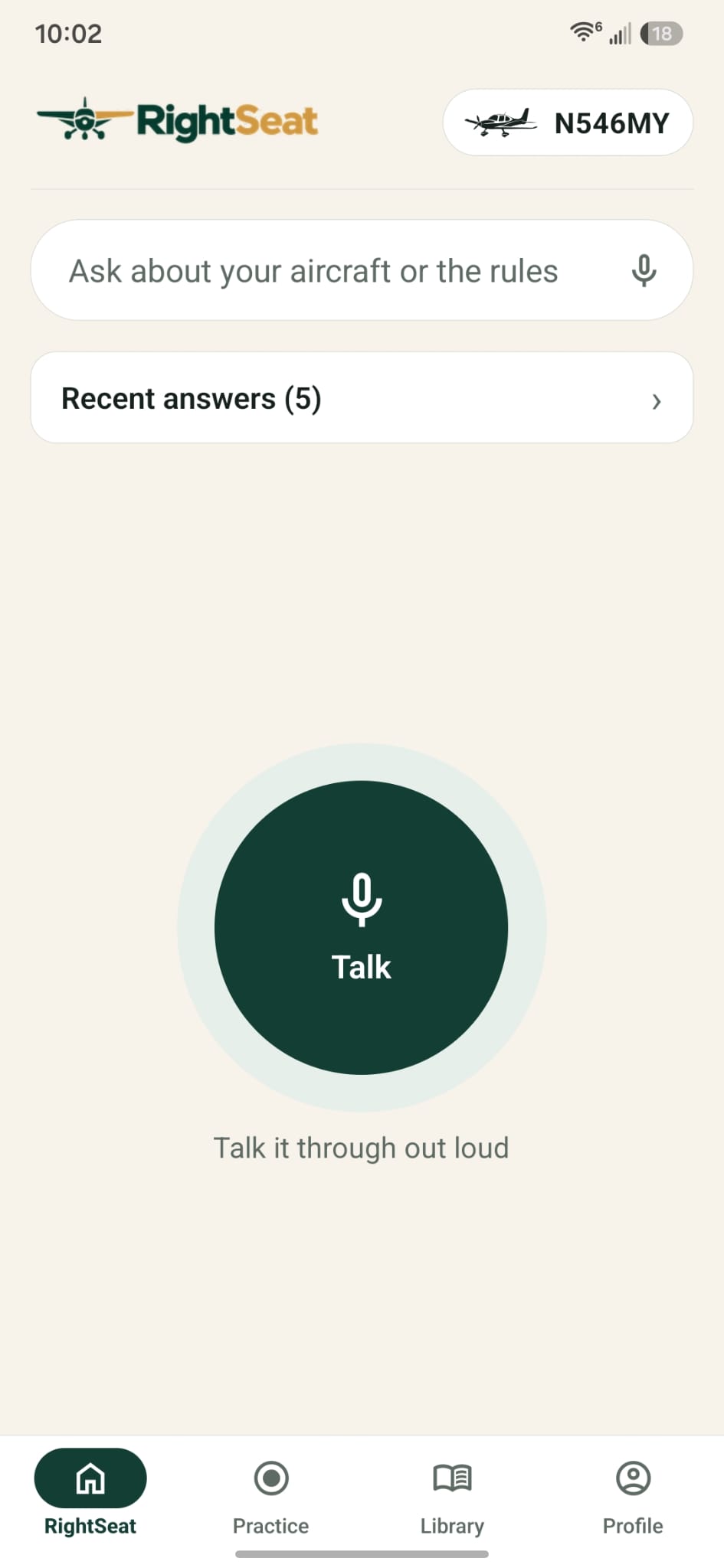
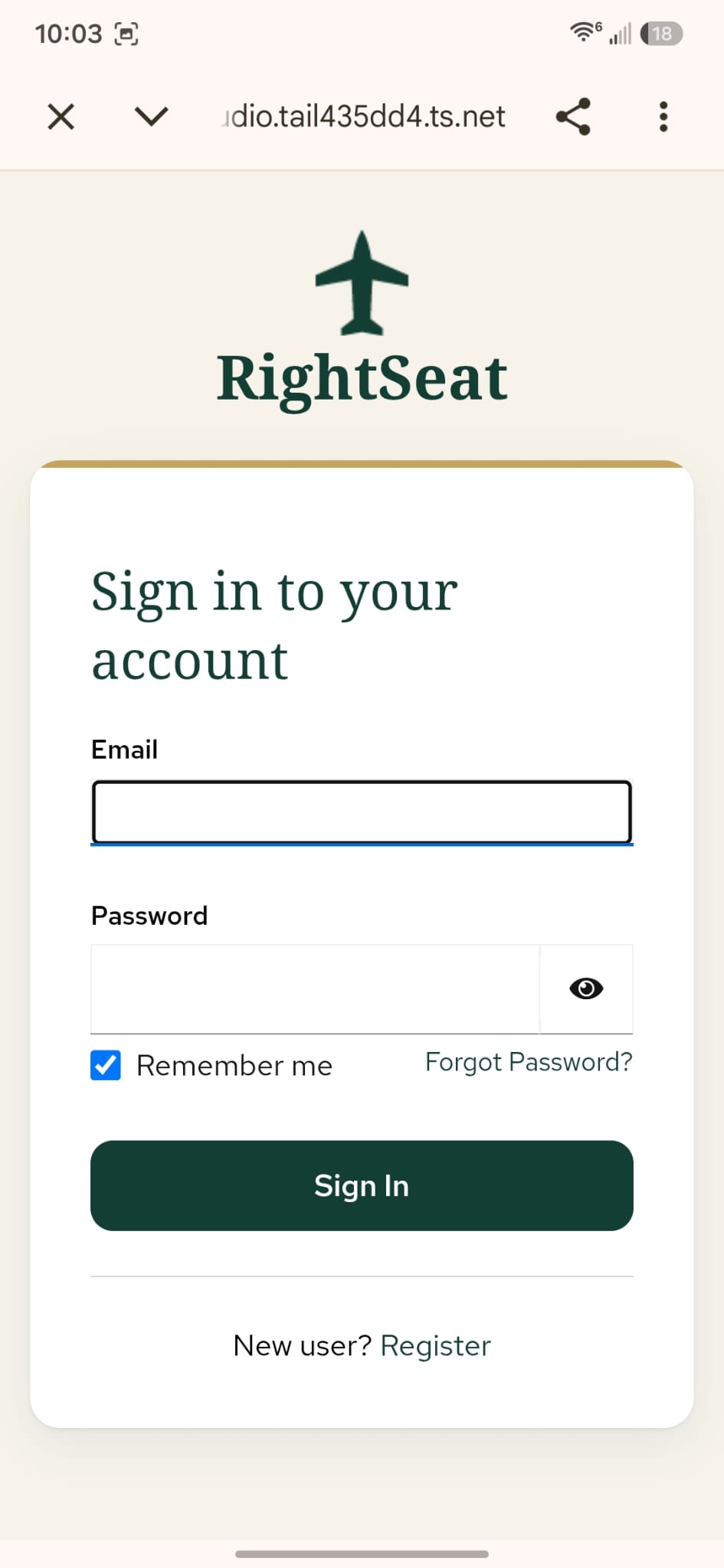
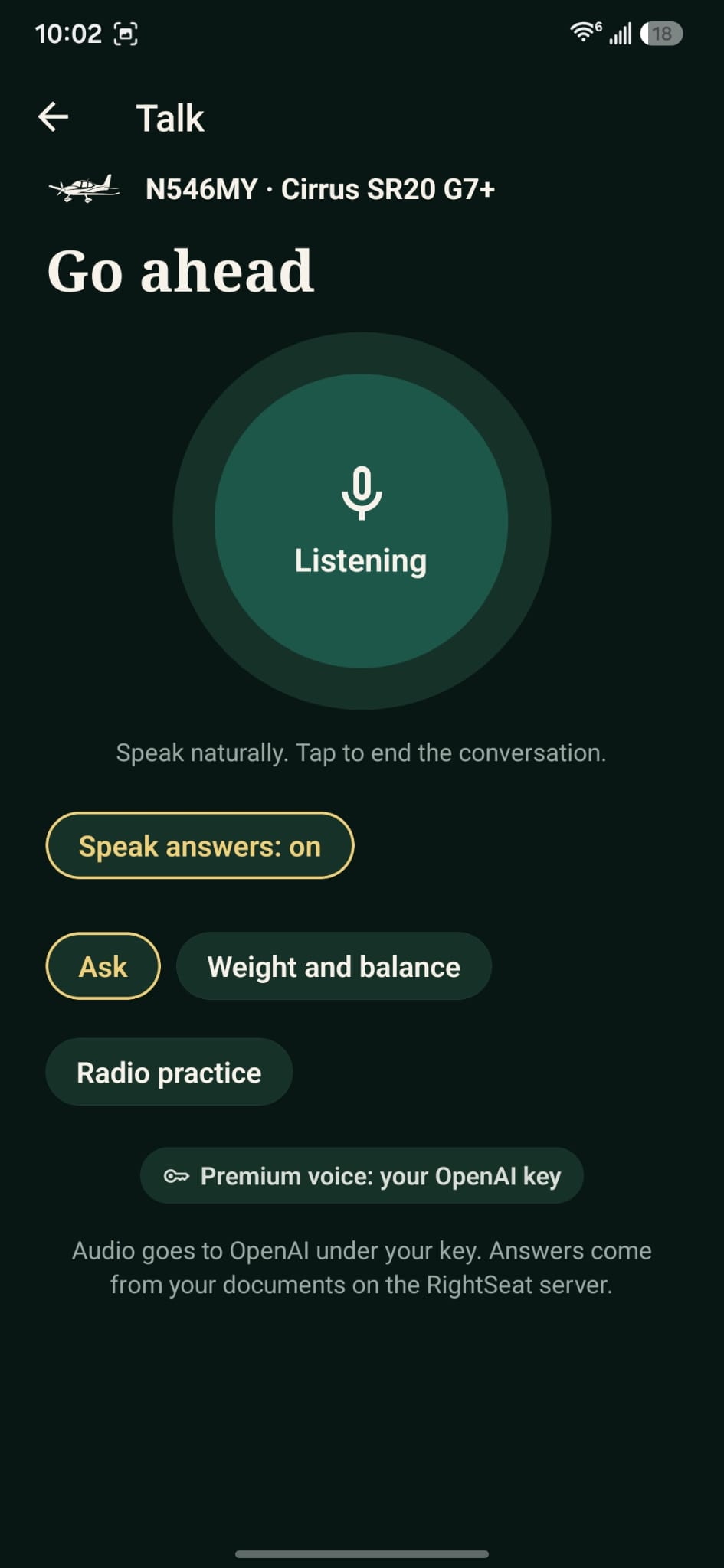
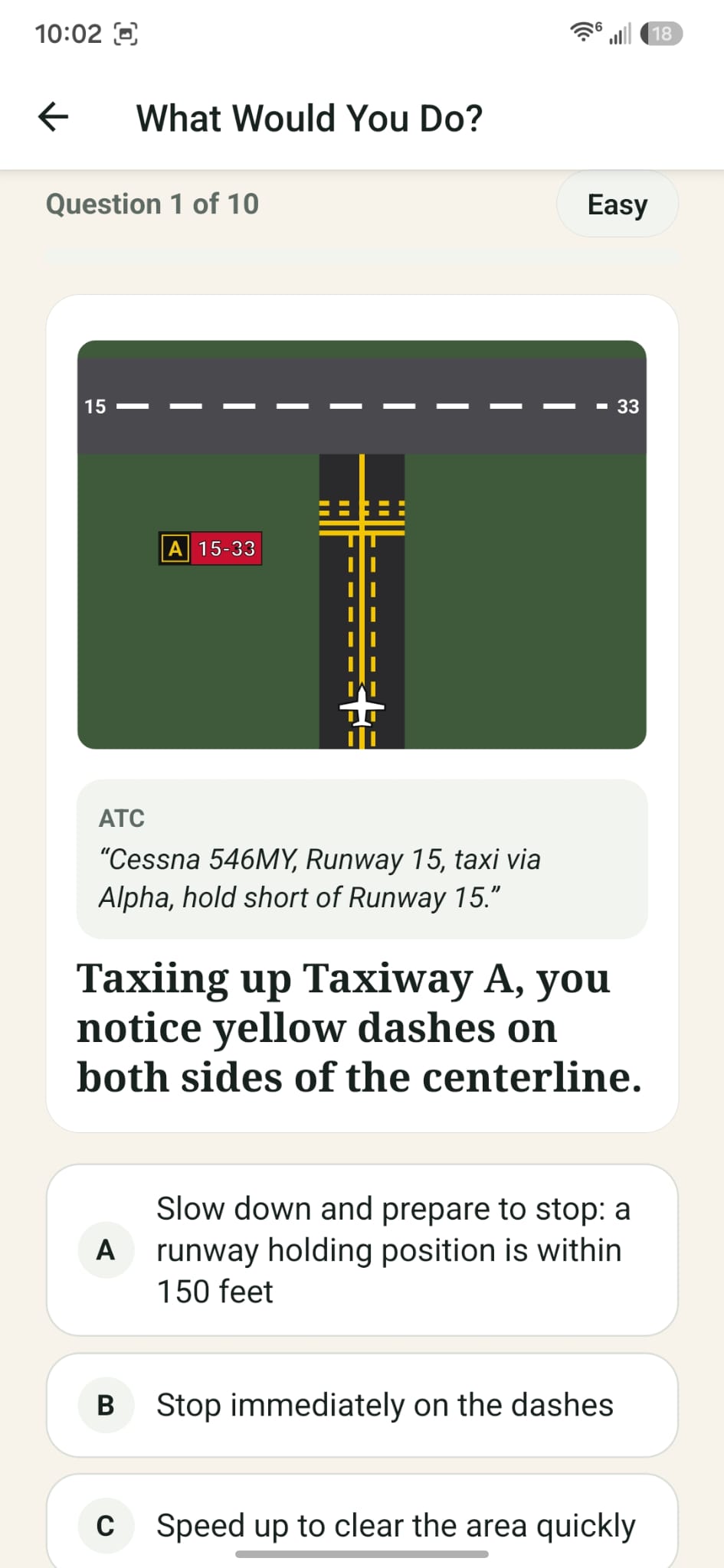
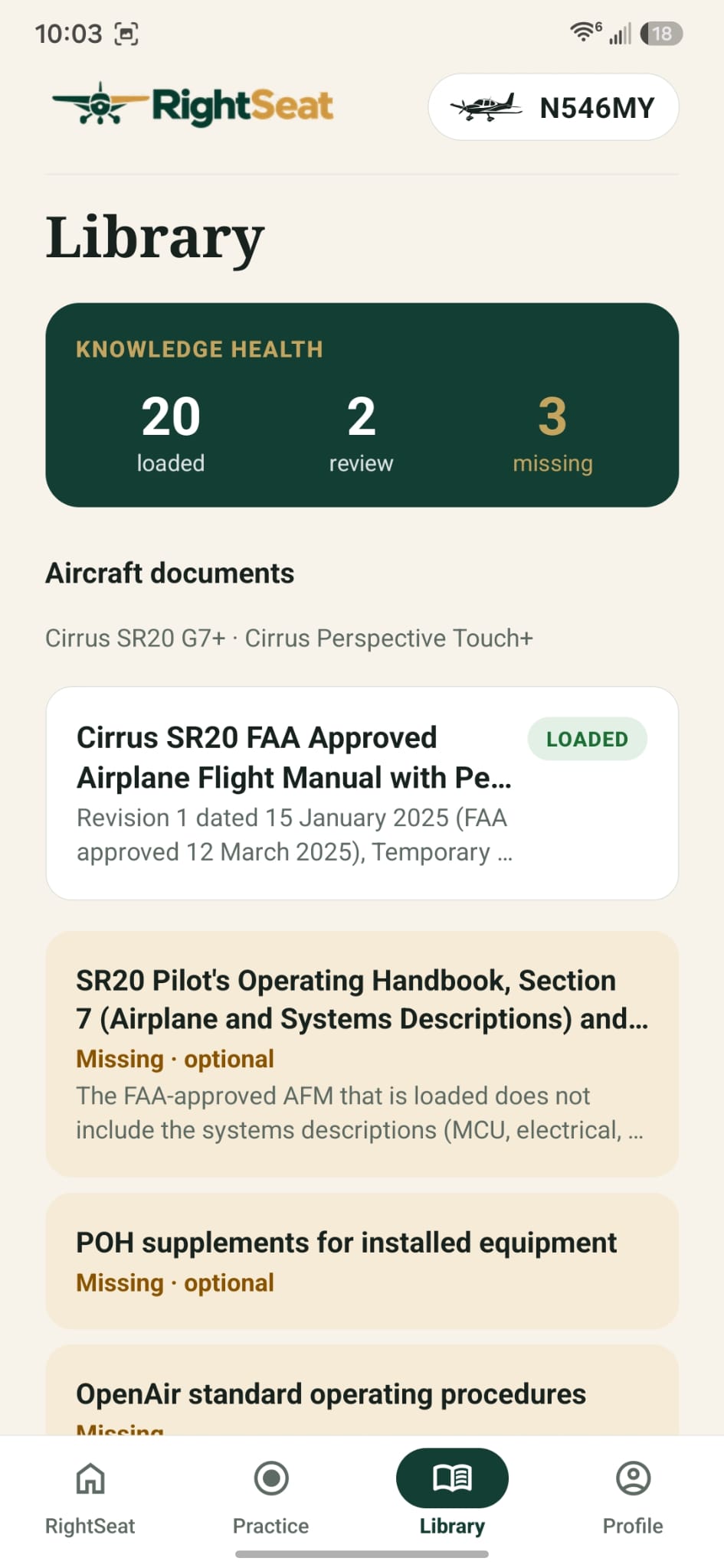
Swipe sideways to explore all five screens.
See how the app is designed to connect aviation questions to aircraft-specific documents and show the evidence behind the answer.
Official RightSeat videoHaving trouble viewing the video? Watch the RightSeat demonstration on YouTube.
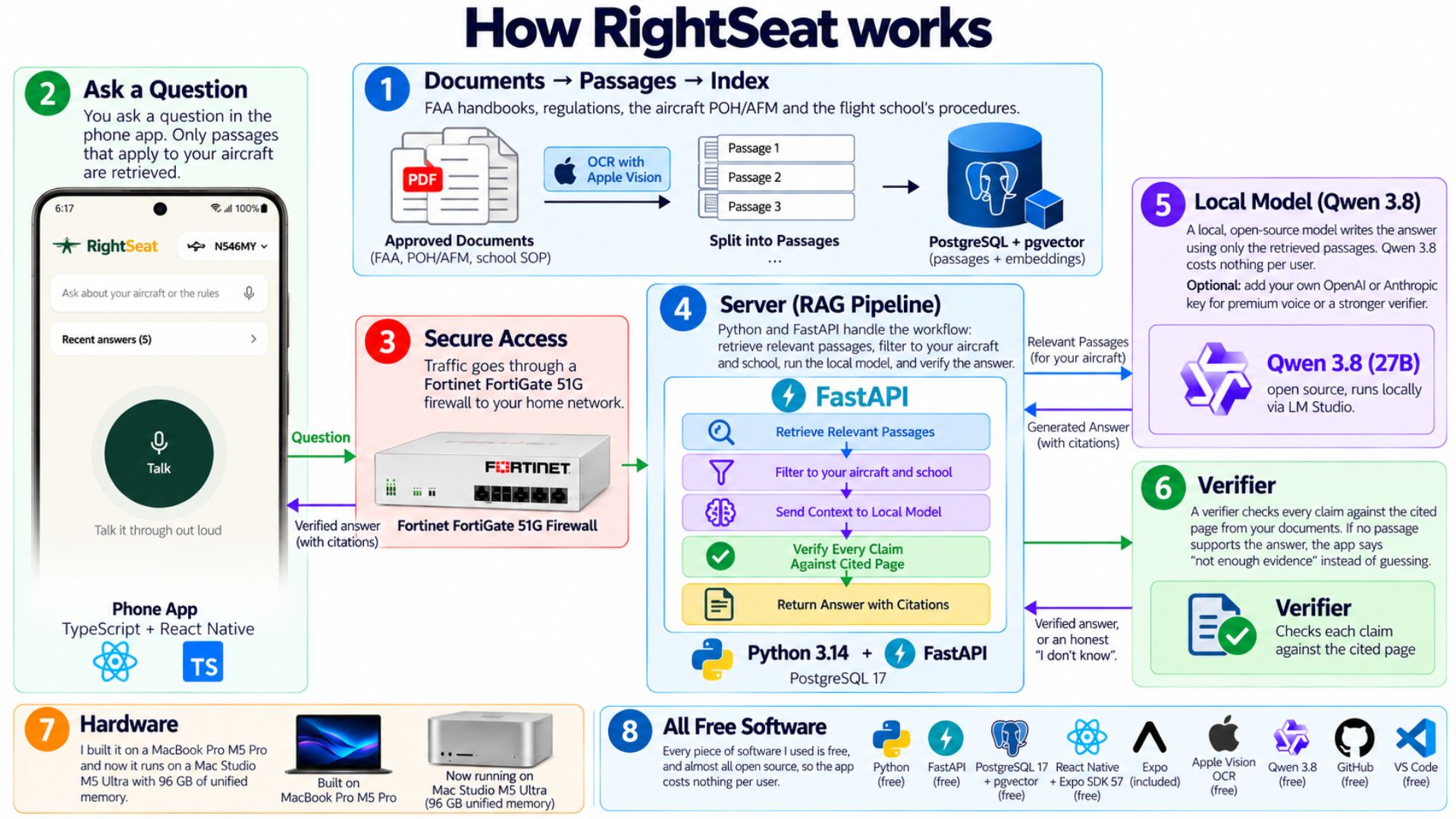
RightSeat runs its own AI backend on a Mac Studio at home. Rather than sending every question to a paid frontier model, its documents, retrieval system, local language model, and verification pipeline work together on self-hosted infrastructure.
Apple Vision OCR processes scanned material. PostgreSQL and pgvector help retrieve the most relevant passages for the selected aircraft and flight school.
Qwen 3.8-27B, quantized to 8 bits, runs via LM Studio on a Mac Studio M5 Ultra with 96GB memory, behind a FortiGate 51G firewall.
A separate verifier checks generated claims against cited passages. The system is designed to acknowledge insufficient evidence rather than invent an answer.
Python and FastAPI power the server, while TypeScript, React Native, and Expo power the mobile app. The local approach avoids per-question commercial AI inference charges.
RightSeat's initial testing focuses on the Cirrus SR20 G7+. The goal is to bring aircraft-specific, source-backed preparation to more Cirrus pilots and training centers, and eventually to a wider general aviation community.